Oct 7, 2026
A Clearer Kanbedu
This is the biggest update Kanbedu has ever had. Every task now shows what changed and who changed it, the board you open every day has been tidied from its header down to every column, and the public site has been rebuilt from the first page. Everything you already use is still there, with less in the way.
A Task Panel Built Around the Conversation
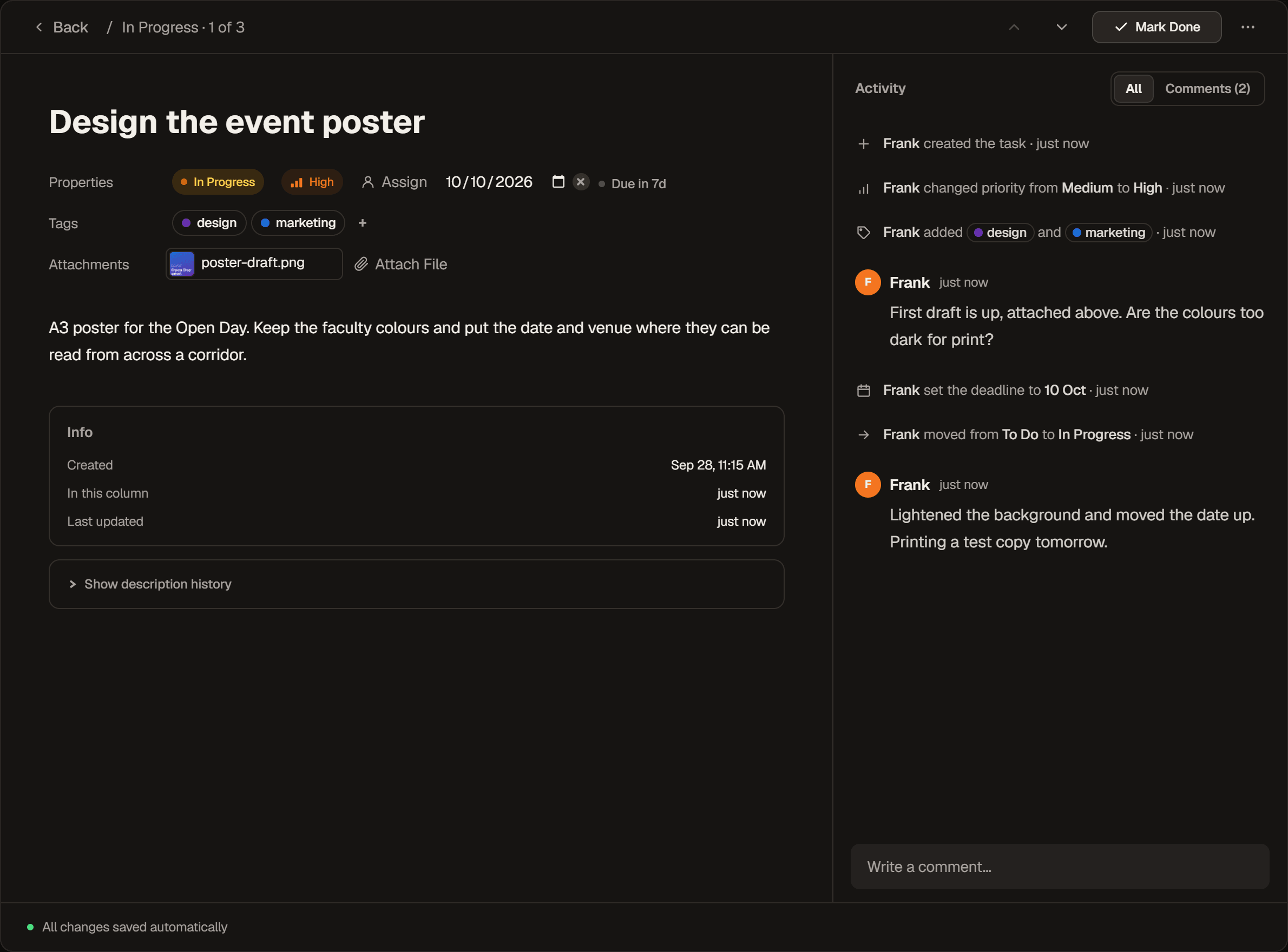
The task panel has been rebuilt. Column, priority, assignees, deadline, tags and files sit in a few quiet rows under the title, and comments get a column of their own on the right, which you can drag wider or narrower. Mark Done at the top finishes a task in one click and pressing it again puts the task back, while the arrows beside it step through the board without closing the panel. Paste a screenshot anywhere in an open task and it attaches itself.
See Exactly What Changed
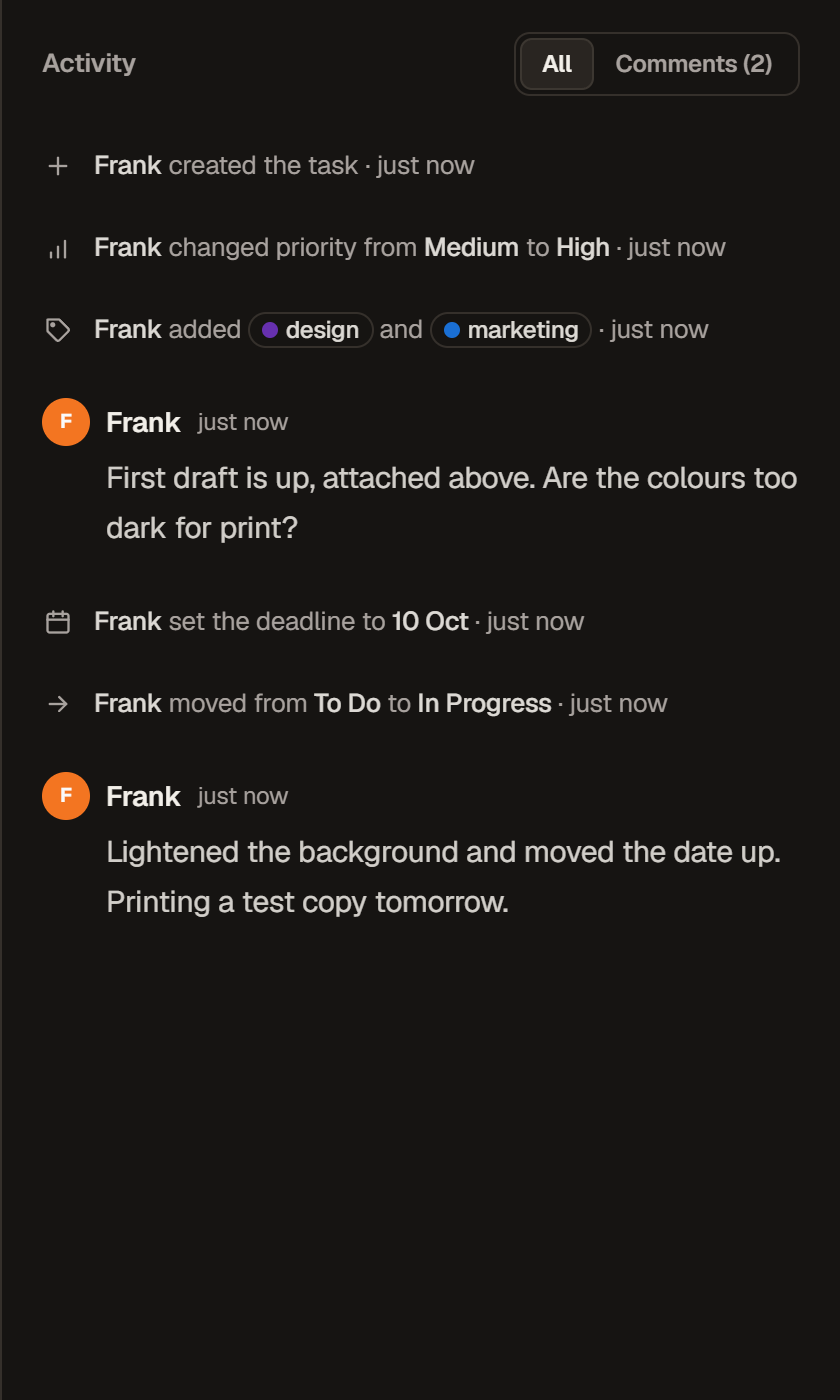
A task's history now sits alongside its comments and says what actually changed: a priority going from Medium to High, a deadline set or moved, the tags that were added. Long runs of changes fold away so the conversation stays easy to follow, and a switch at the top shows comments only.
A Clearer View of Every Column
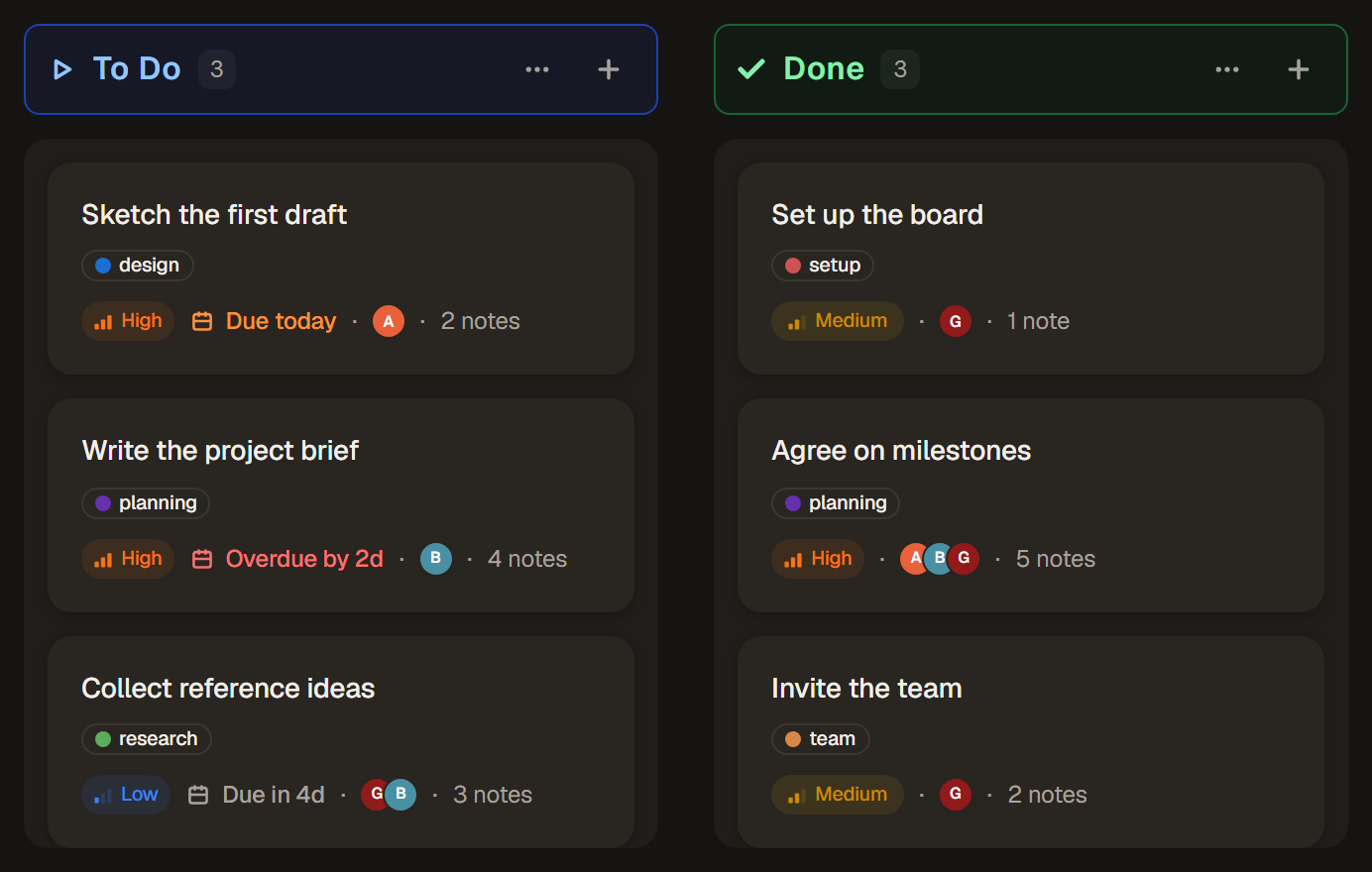
Column headers used to carry a lot: a coloured dot, a Start or Done label, a count and two controls, all competing for the same line. Now the count sits right beside the name, options and quick add wait at the far end, and Start and Done columns show a simple icon instead of a label. Hover or tap the icon to see what it means. Marking a column Start or Done has moved into Column Type in the column menu, there when you need it and out of the way when you don't.
Find the Work You Need, Faster
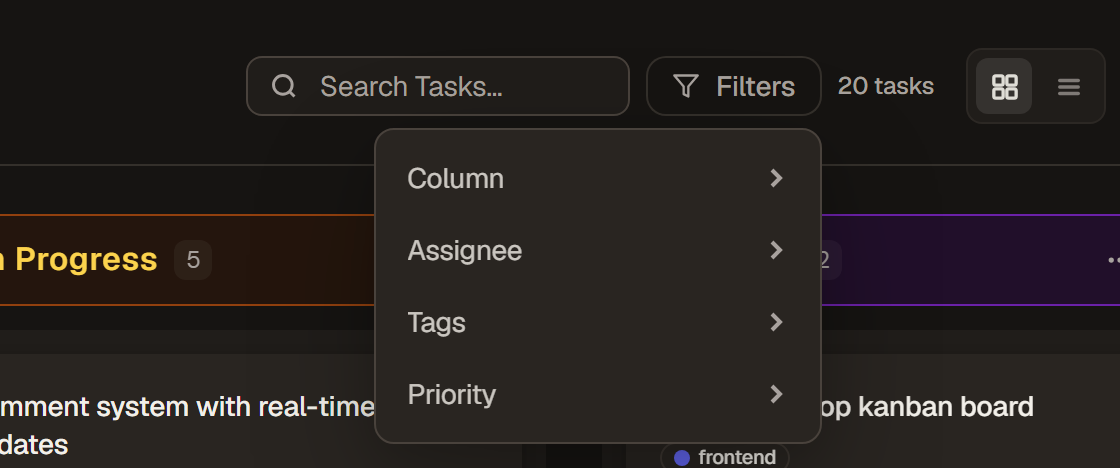
Assignee, Tags and Priority used to be three buttons side by side, and on a smaller laptop they pushed the board header onto a second line. They now live in one Filters menu next to search, with a count when any are on, and your board name gets its room back. On a brand new board, Filters waits until there is a task to filter.
You can now filter by column too. Pick one or more columns and only their tasks stay, while every column keeps its place on the board. In list view it turns a long list into just what is in Review, or just what is still To Do.
Board Settings in One Place
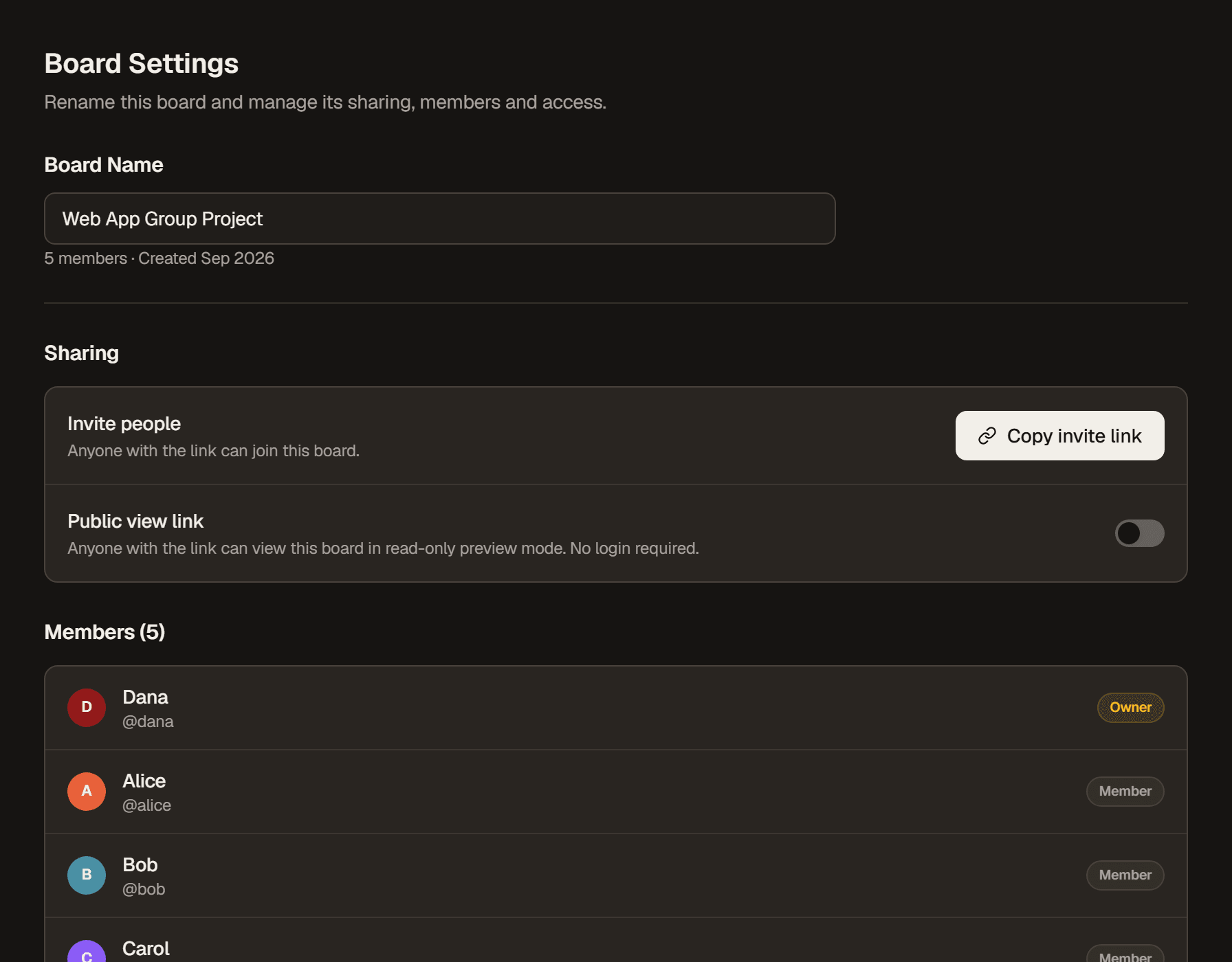
Renaming a board, sharing it and managing its members now happen on one Board Settings page, for the board you opened it from. Transfer Ownership and Remove Member appear once someone else has joined.
Deleting a board that has tasks or teammates on it now asks you to type its name first, so one stray click can't wipe out a group's work. An empty board that is only yours still needs just one confirm.
Keyboard Shortcuts, When You Want Them
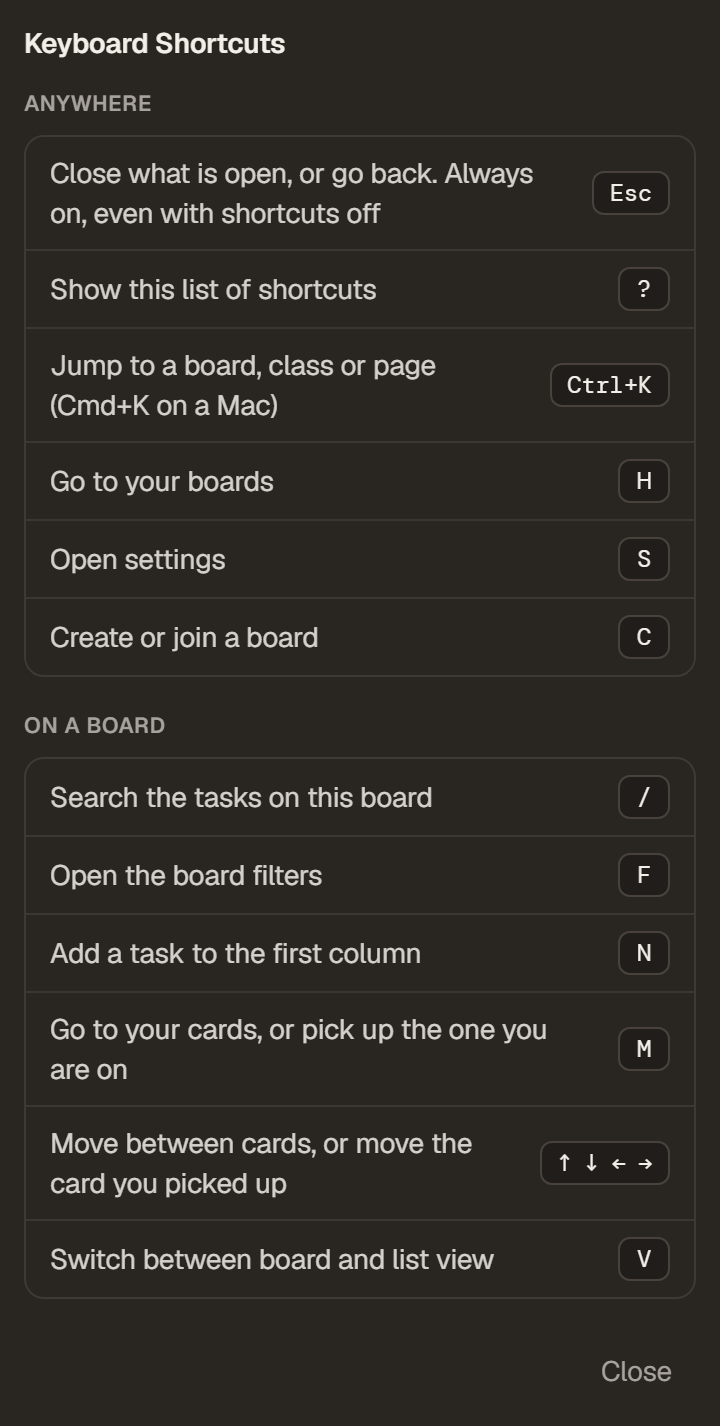
Turn on Keyboard Shortcuts in Settings → Accessibility to search, open filters, add a task, or pick up a card and carry it to another column, all without touching the mouse. Press Ctrl+K (Cmd+K on a Mac) to jump straight to any board, class or page by typing part of its name. Press ? for the full list. Shortcuts stay quiet while you type, and Escape still closes whatever you open.
A New Front Door
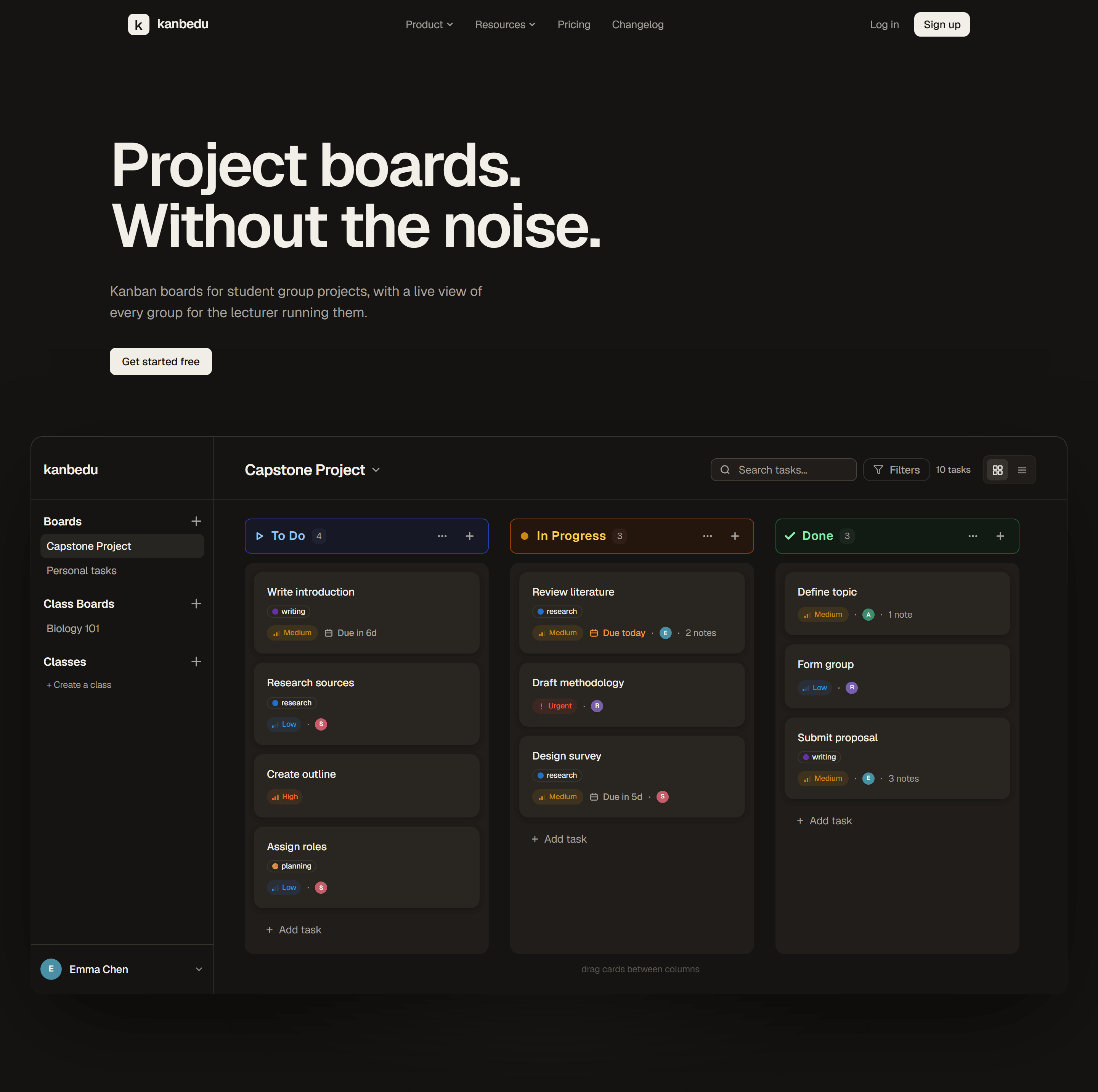
The new home page lets you try a real board before signing up: drag a card between columns and see how a group would use it. Right below, lecturers get a short tour of classes, monitoring and teaching teams, each one click away from the full detail.
Everything Has a Place
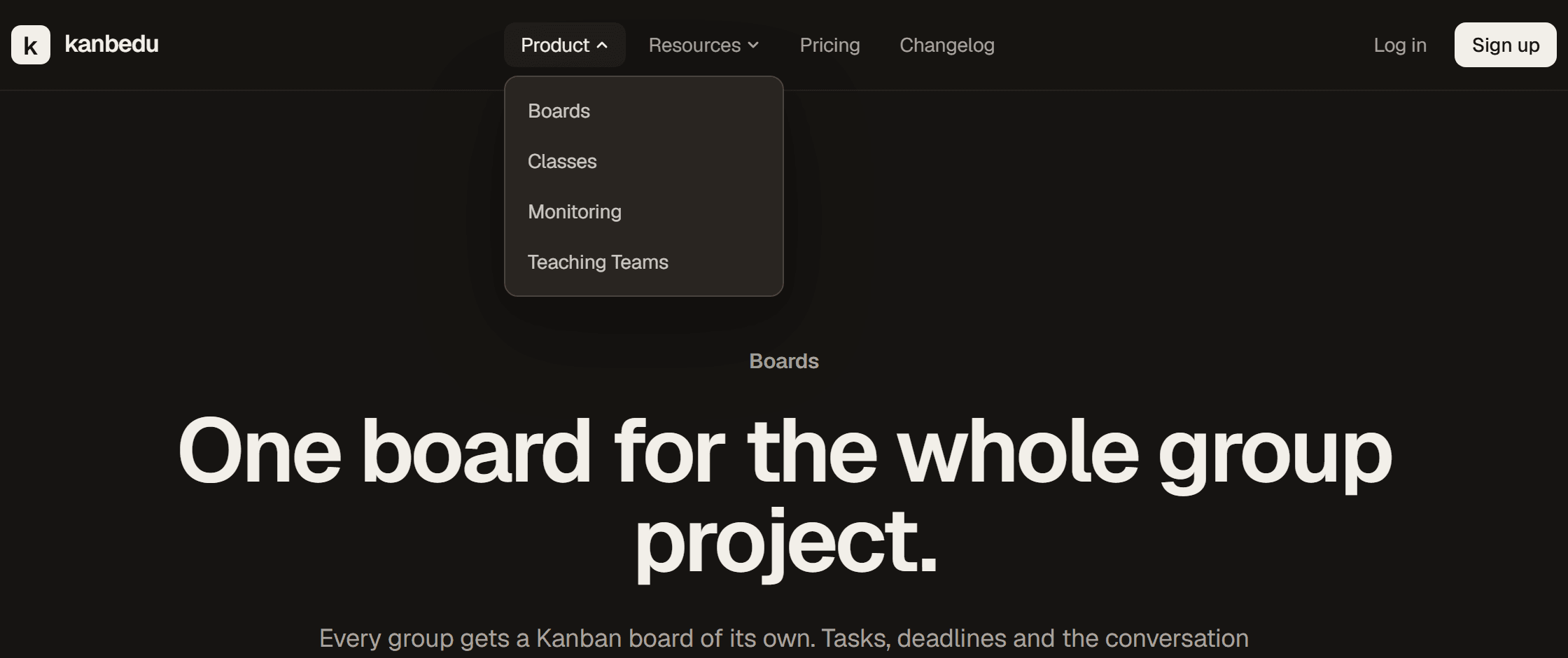
Boards, Classes, Monitoring and Teaching Teams each have a page of their own under Product. Resources holds a guide for students and one for educators, each written for the way they use Kanbedu. Pricing, Security & Privacy and the rest of the site have been refreshed to match.
Lecturer Pro Pricing
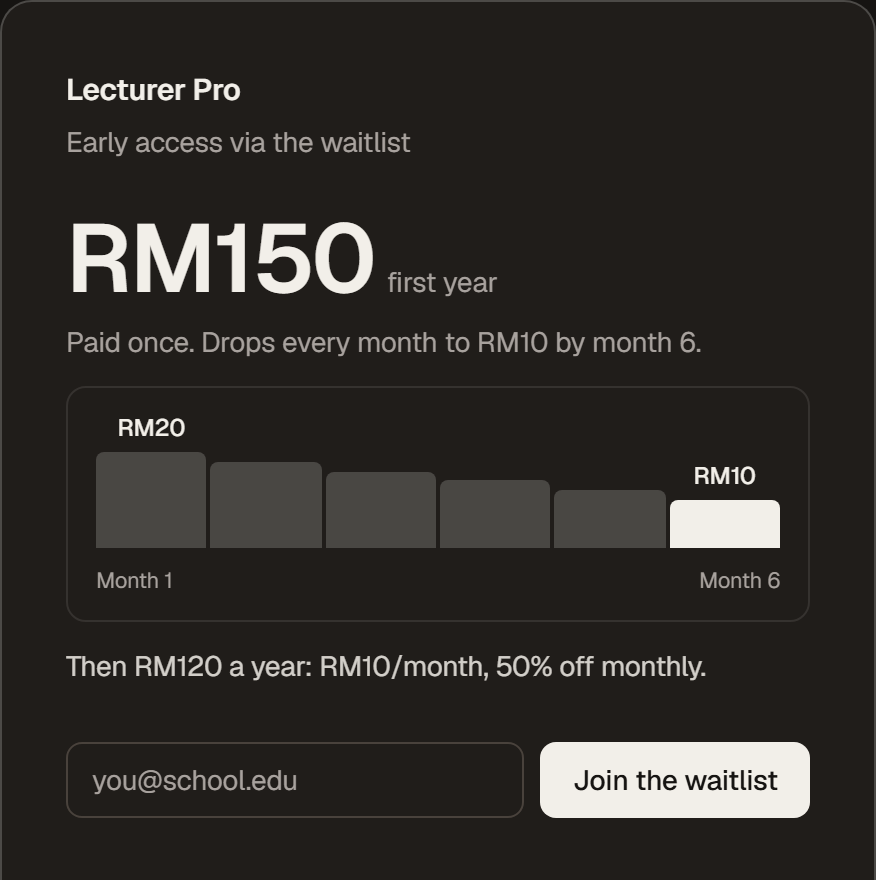
Lecturer Pro has its launch pricing: RM20 a month, or RM150 for your first year and RM120 for every year you renew after that. The pricing page walks through how the yearly rate works month by month. Pro is still in early access, so you can join the waitlist from the same page.
A Few Everyday Improvements
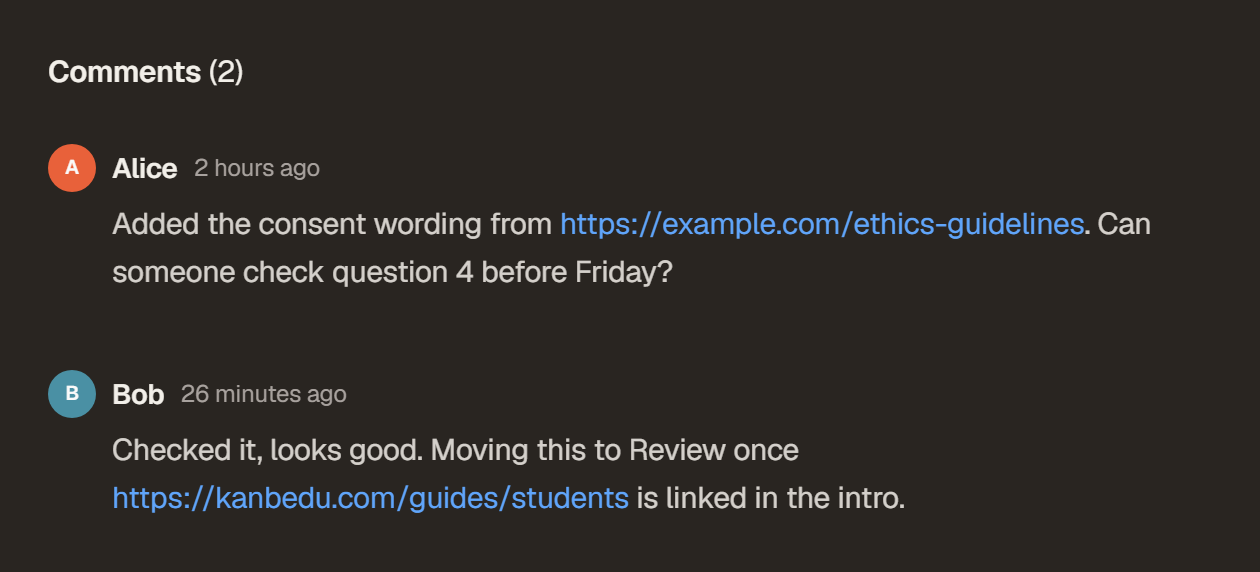
Web addresses in task descriptions and comments now open as links, so a shared doc or reading is one click away. The first time someone tags you, Kanbedu offers to turn on alerts, so the next tag, assignment or comment on your work reaches you even from another tab. New passwords need a number or symbol, while existing passwords keep working as they do today. On desktop, your board now sits on its own raised panel beside the sidebar, and every theme has been retuned around it. The Dark theme is now called Cocoa, the same warm brown as the public site, with tooltips and board controls brought in line with it.
We have also updated our Privacy Policy and Terms of Service to describe more precisely what Kanbedu stores, who can see it and how long it is kept.