Oct 26, 2026
Classes, Redesigned
We rebuilt everything a lecturer sees inside a class, and put each round in front of lecturers before the next one. Six tabs became four, every group got a page of its own, and the screens now answer the questions you actually bring to a class: who needs a hand, what has each group done, and who is doing the work. For everyone, students included, Kanbedu now reminds you when a task is about to be due.
Four Tabs Instead of Six
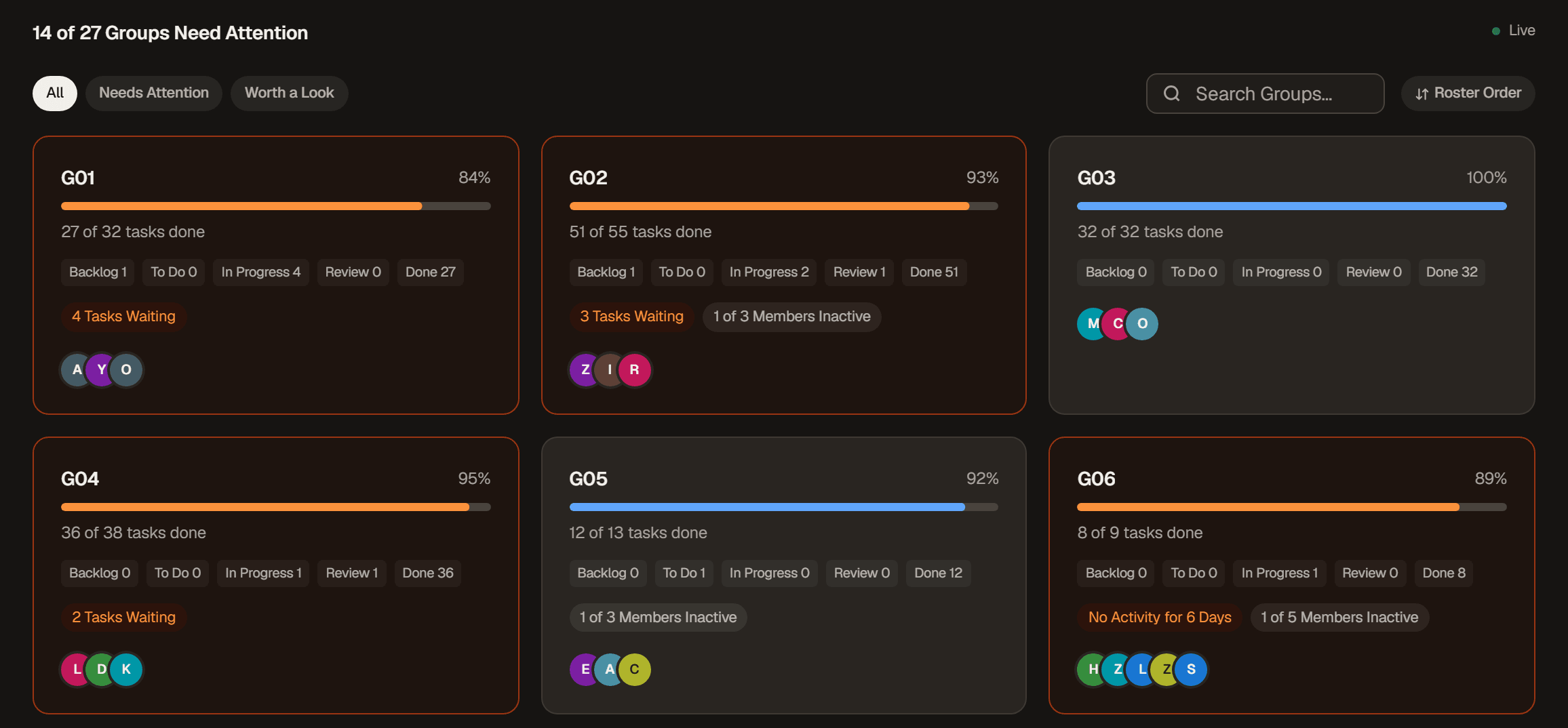
Overview replaces Monitor. Every group sits on one screen, and a group that needs a hand turns orange and says why in plain words. Grey tags are things worth a question at your next meeting rather than right now.
People holds your students, groups and educators. Reports holds Participation and Unusual Activity, with the grading export beside them. Settings holds the class details and the board template. Old links and bookmarks still land in the right place.
A new class opens on a short checklist that takes you from the board template to every student in a group, ticking each step off as you go. And if you teach from one class most days, Kanbedu can open it straight after you sign in.
Every Group Gets Its Own Page
Open a group to get its board and a Summary side by side. The arrows step through your groups in order, so you can go round the whole class before a meeting.
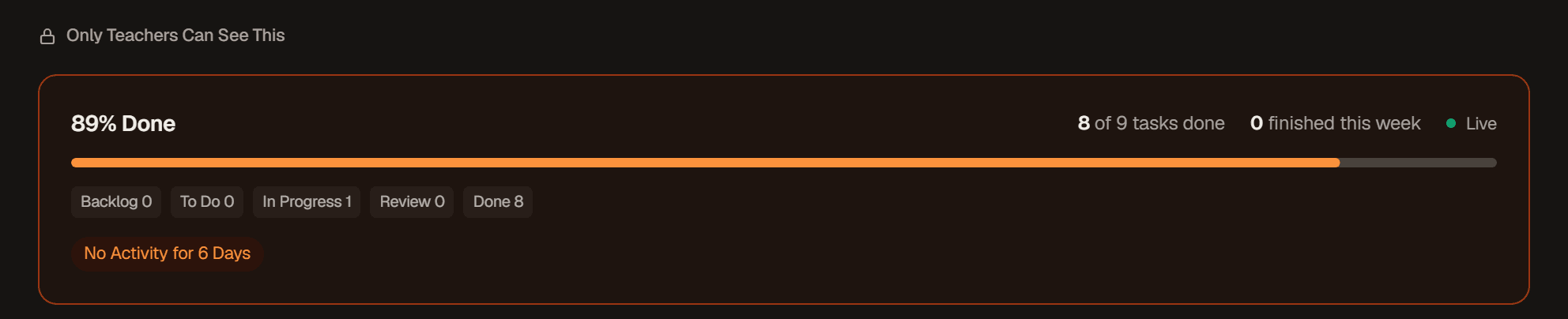
The Summary lists what is overdue or waiting, what was finished recently, and how much each member has done. Activity Over Time shows the whole term week by week, split by student.
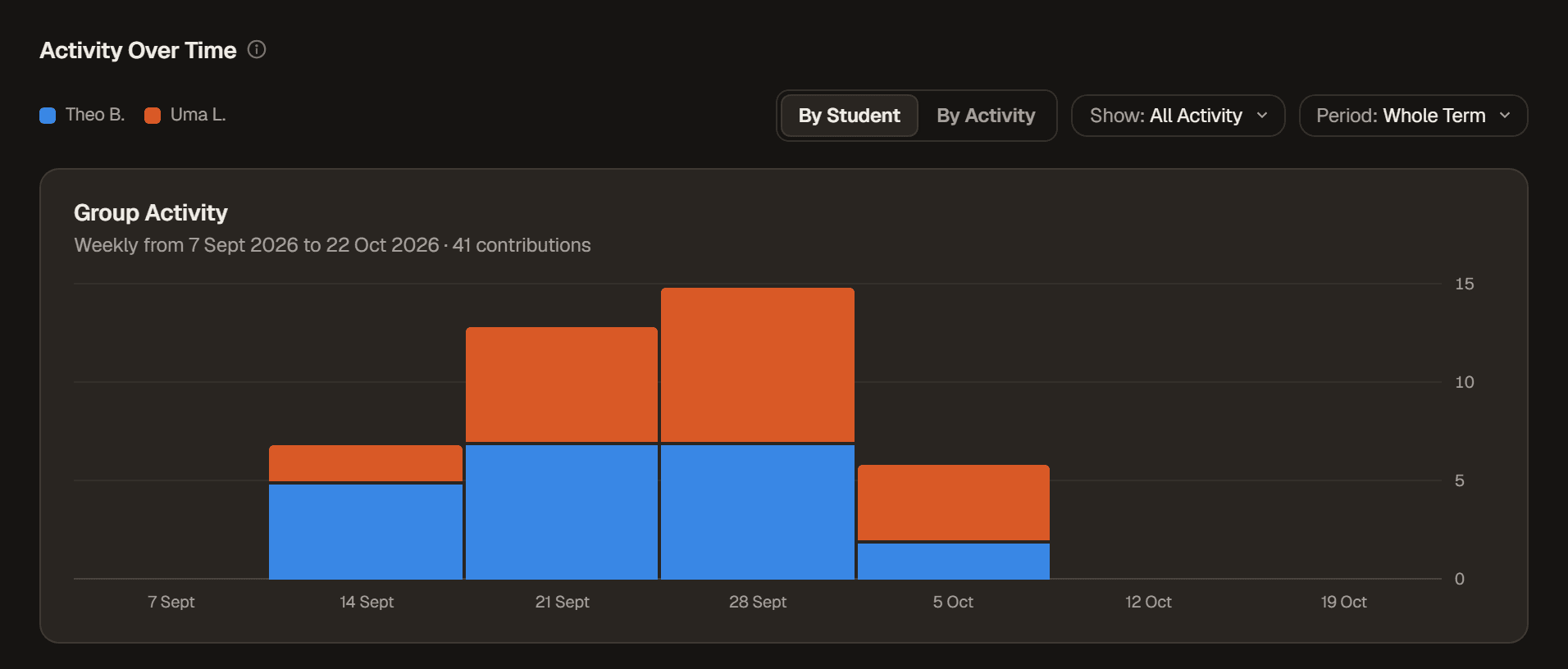
Show narrows it to one kind of work, like tasks created, so you can see whether a group planned early and kept their board up to date all term.
Groups, in Your Order
Drag students between groups, tick several to move them together, or spread everyone still waiting evenly across your groups in one go.
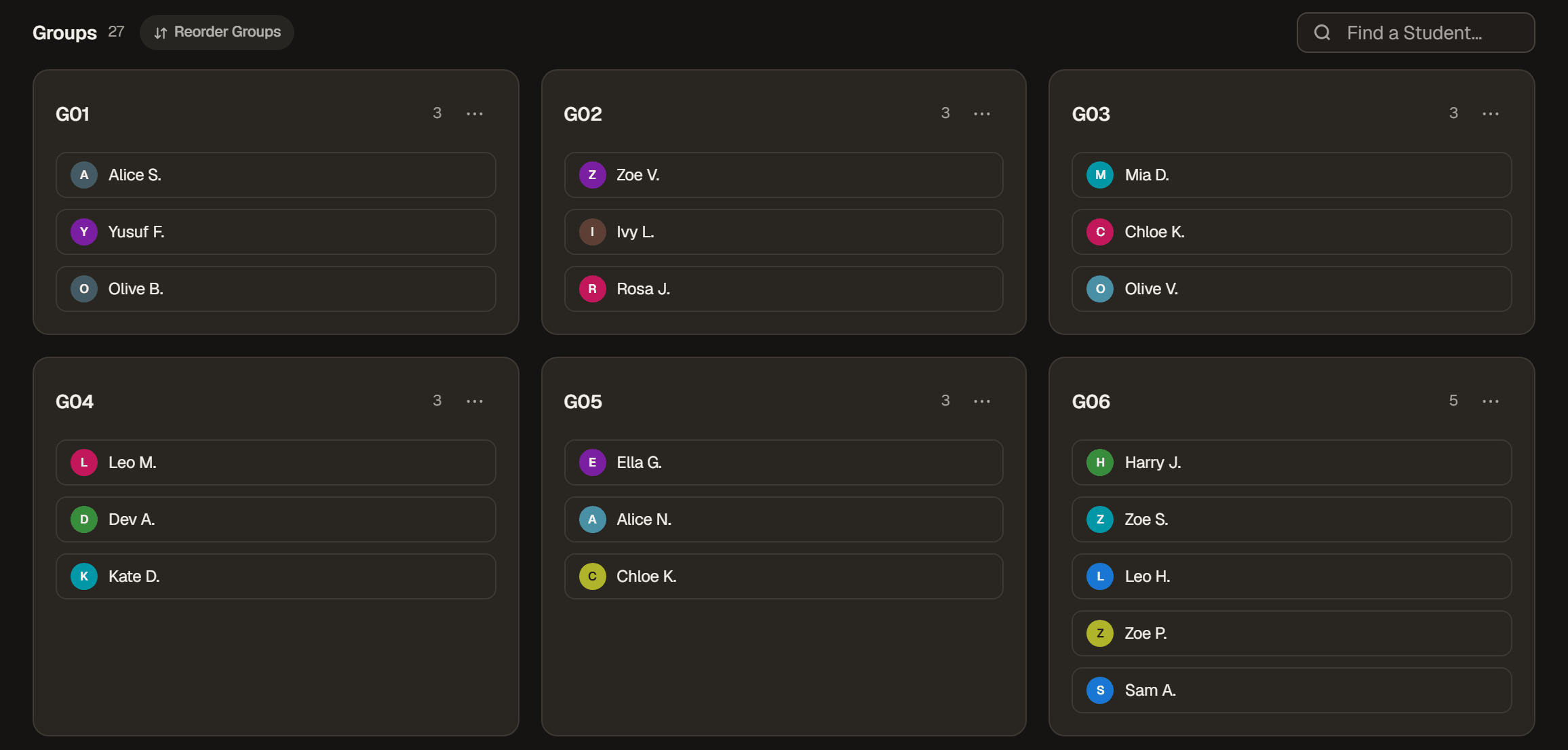
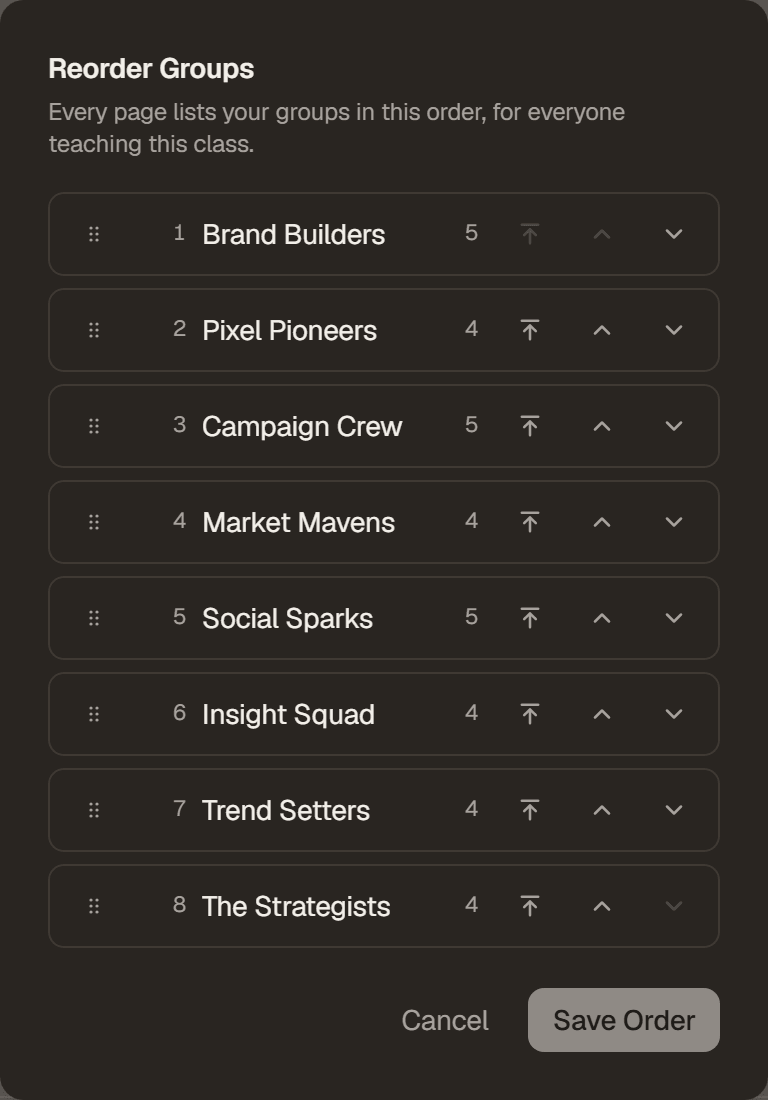
Want Group 2, 5 and 16 at the top? Reorder Groups puts them there, and every page follows that order, the grading export included, for everyone teaching the class.
Unusual Activity
Integrity is now called Unusual Activity, and it is quieter: it points out fewer tasks, so the ones it does point out are worth a look. Each group shows how much of its work was flagged, and hovering a tag tells you exactly what happened to that task.
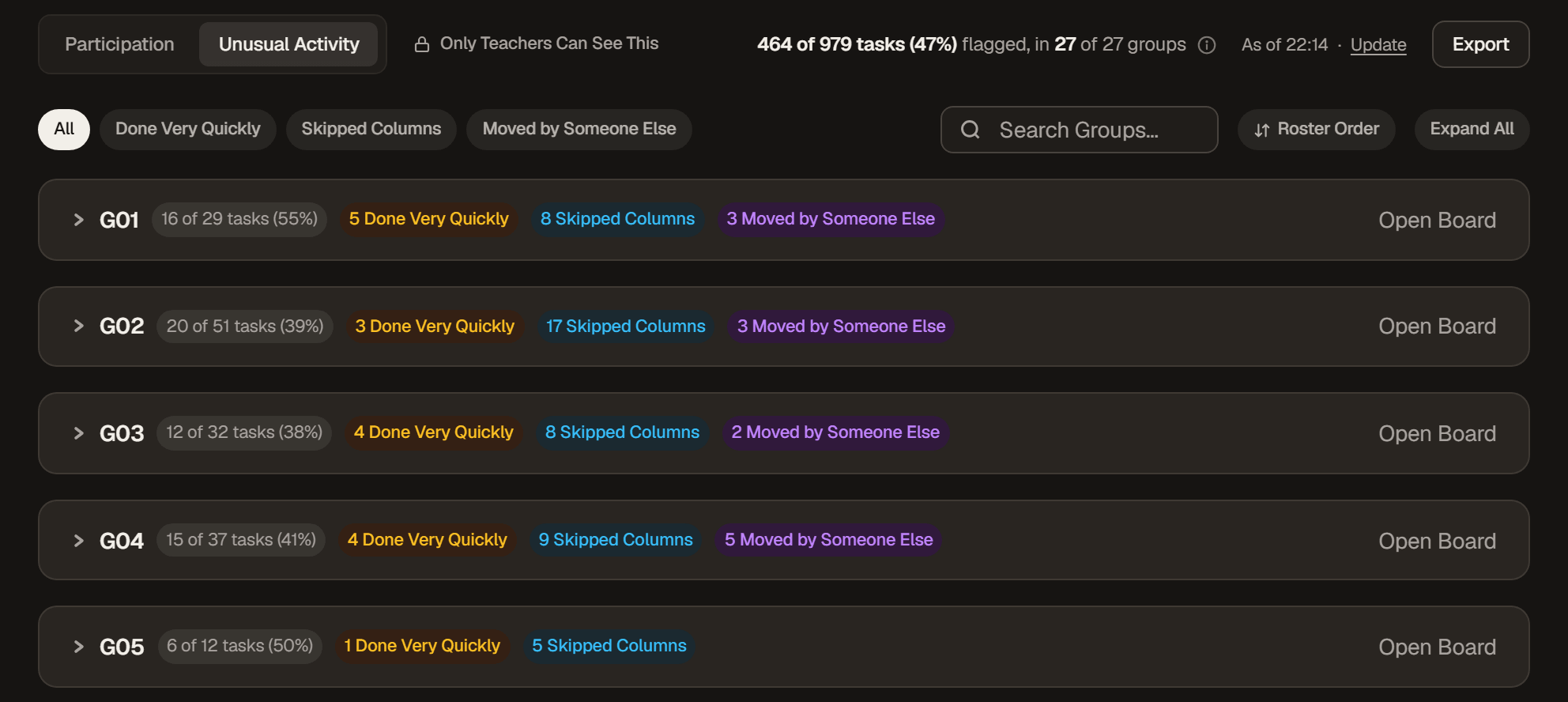
As before, it is a reason to ask a question, never a grade on its own.
Start From an Example
The board template can start from an example made for the kind of project you run. Made your groups before setting it up? You can now use the template on any group board nobody has started on yet. A board a student has touched is never changed.
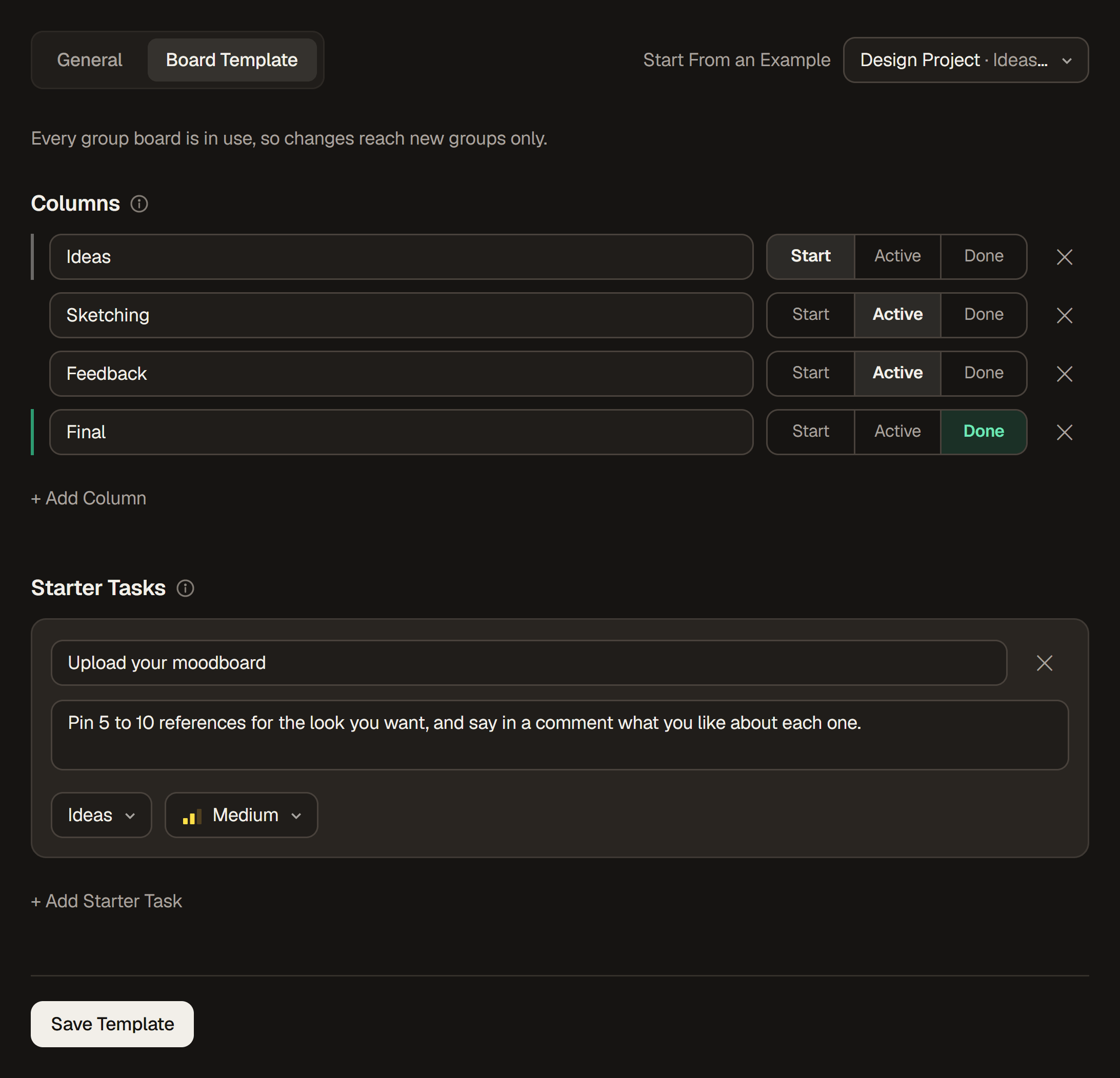
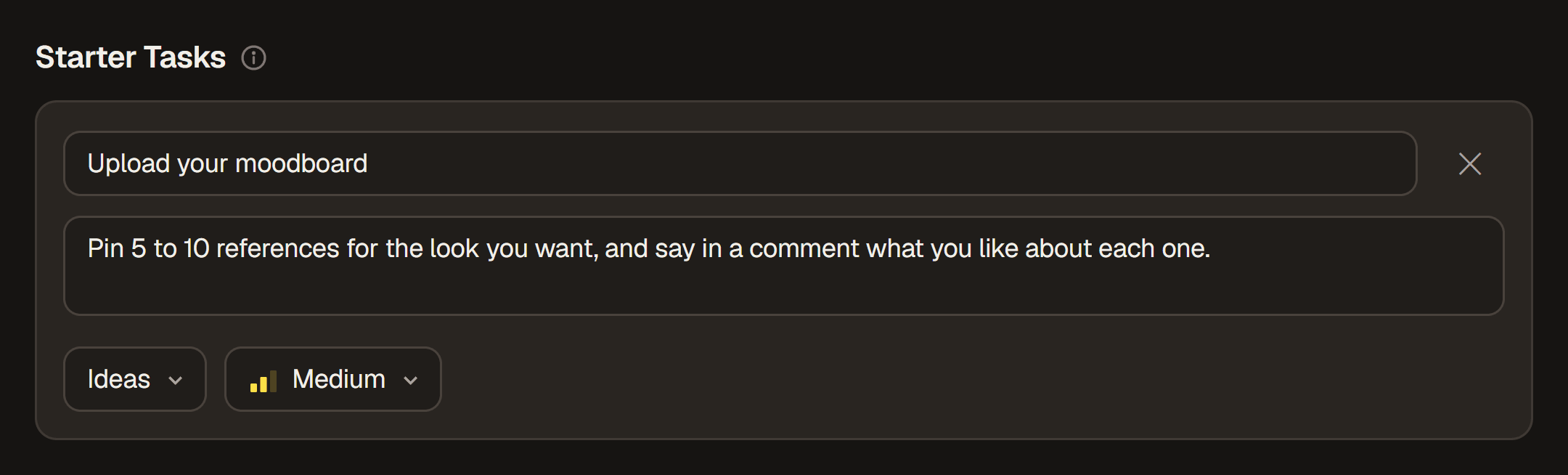
A starter task can carry a description too, so the instructions arrive on every group's board with the task itself.
Archived Classes Are Read-Only
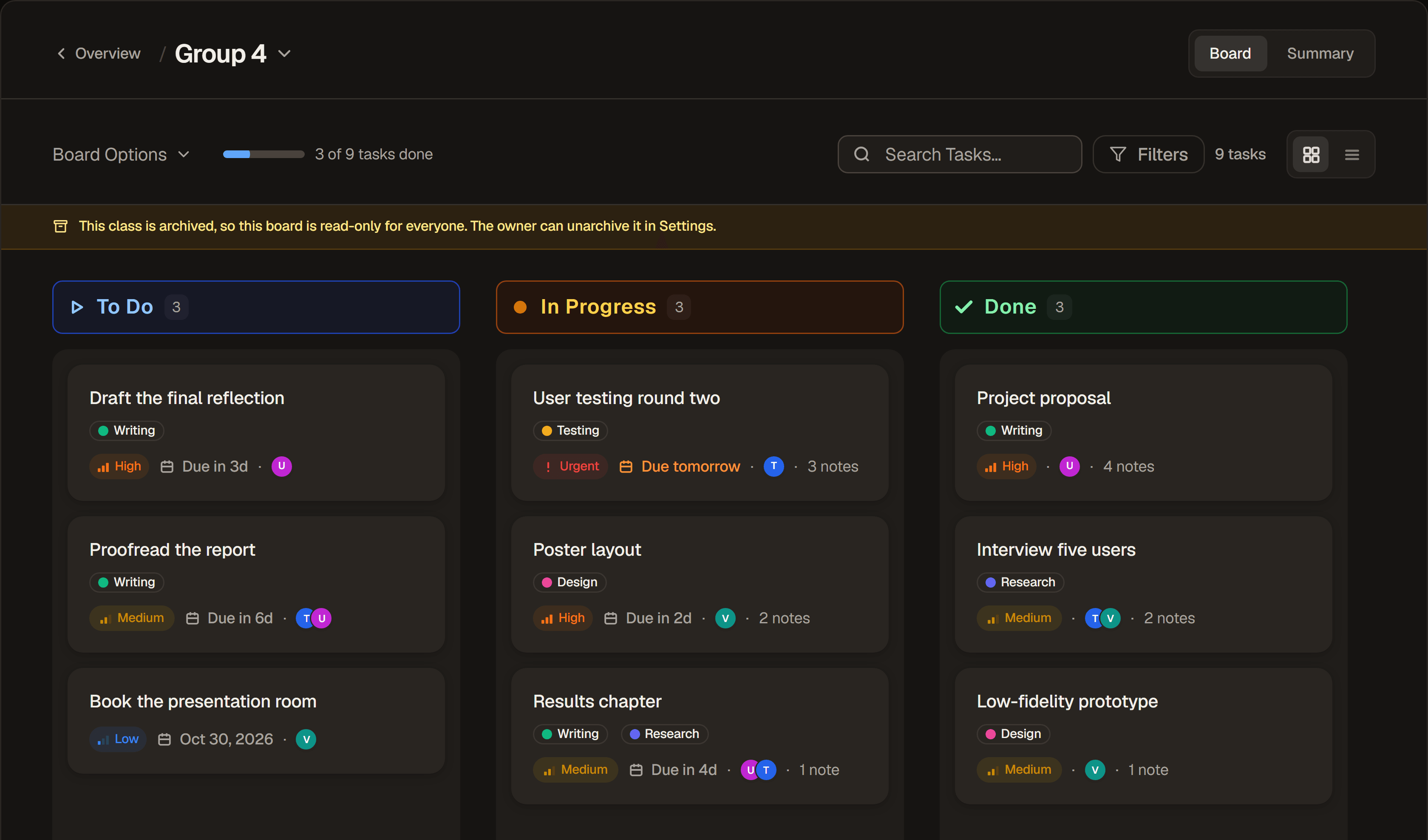
Archiving a class now keeps it exactly as it was at the end of term. Every board, Summary and report stays open to read, but nobody, educators included, can change anything until the owner unarchives it in Settings.
Hand a Class Over
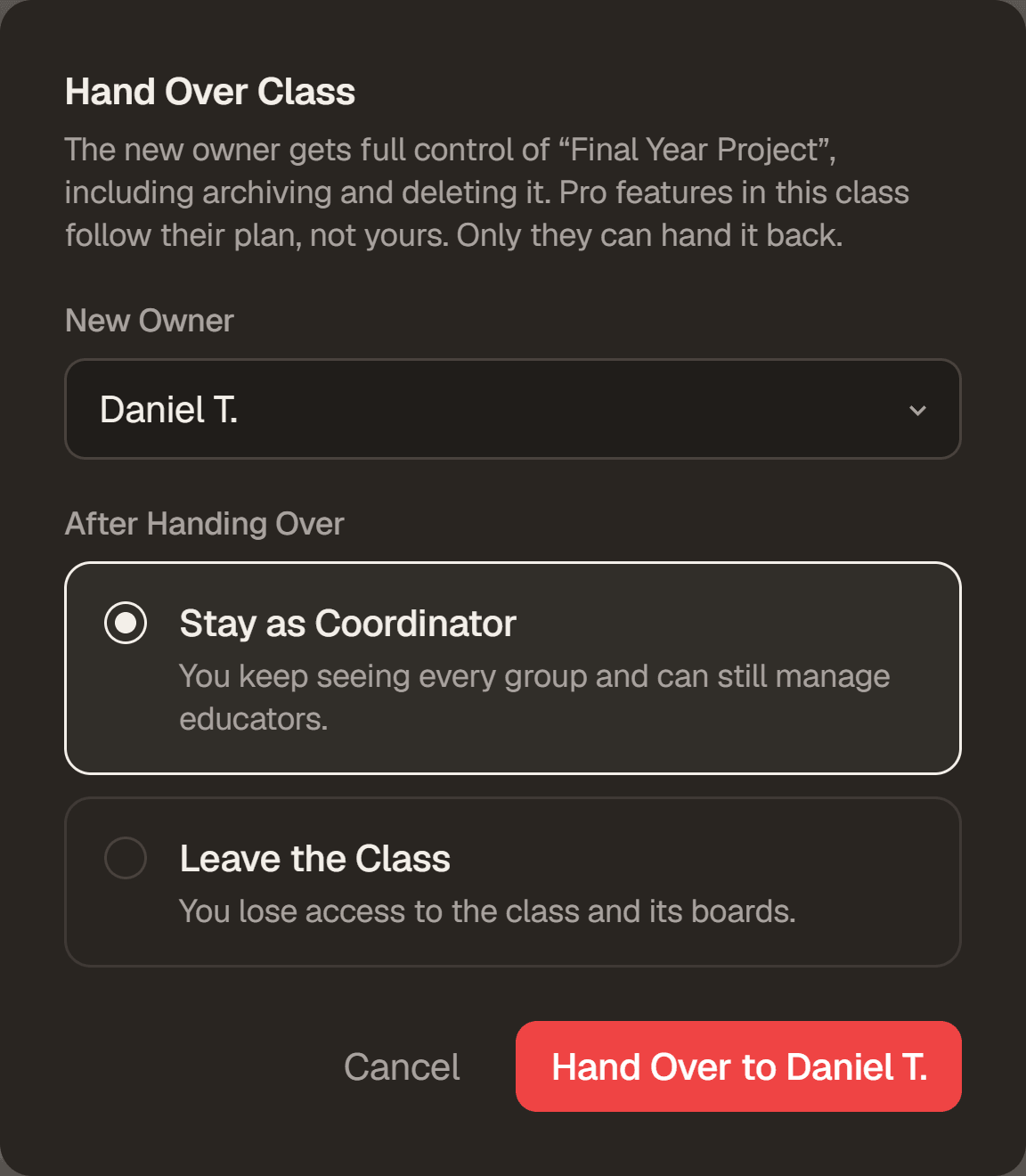
Moving on from a class you set up no longer means deleting it. In Settings, the owner can hand the class to another educator in it, then stay on as a coordinator or step away. Every board, group and report stays exactly where it is.
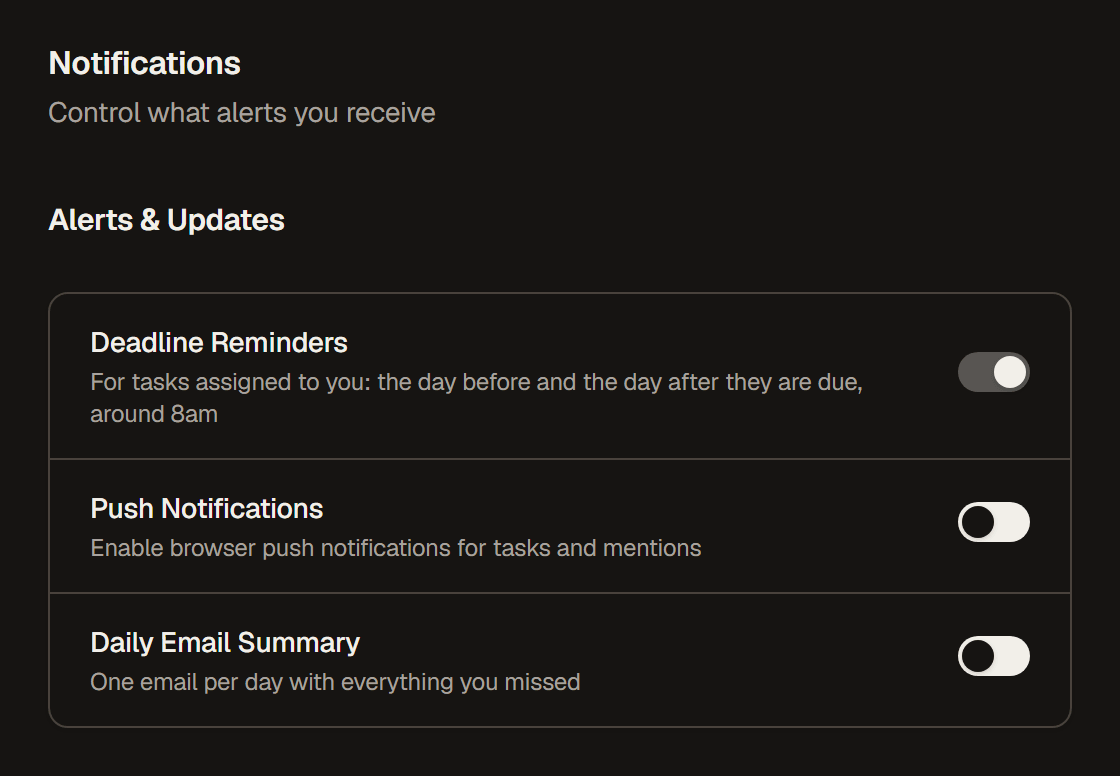
Deadline Reminders
Kanbedu now reminds you about tasks assigned to you, the day before they are due and the day after if they are still open, in your notifications around 8am. It is on for everyone, and you can switch it off in Settings under Notifications.
Also in this update: Archived Tasks has a Filters menu, deleting a class now asks you to type its name first, every icon button says what it does when you hover it, Pro members get a Pro pill beside their name, and a long list of smaller fixes. The sidebar now updates the moment you join a class or a board changes, phones get a single menu button with a dot for anything unread, and a student who has just joined a group is no longer marked inactive before they have had a chance to start. Signed up with a typo in your email? You can now fix it, or delete the account, from the screen that asks you to verify.
Since Launch
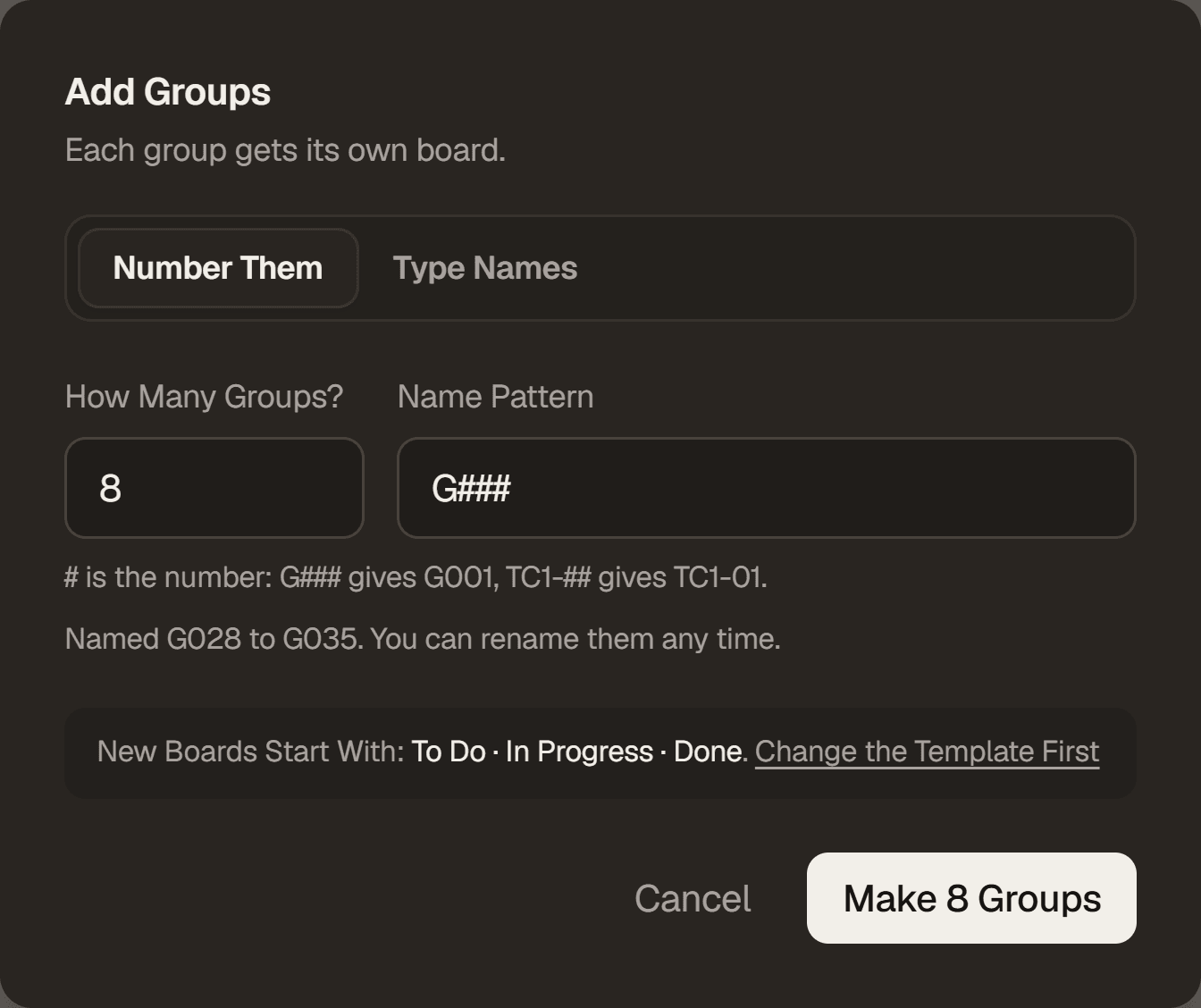
Lecturers asked for this one after launch: groups can now be named the way your course already names them. Add Groups takes a pattern with # where the number goes: G### makes G001, G002 and on, and TC1-## and TC2-## keep two sections apart. It opens on the pattern your class already uses and carries on from your last group.
Starter tasks in the board template can now carry a description, and every example comes with them filled in. Each new group's board starts with the instructions already on the card.
Clicking a group on the Overview now opens its board, with the Summary one click away. And Whole Term on Activity Over Time now covers the weeks a group was working, so a finished project keeps a readable chart.
On a phone, the class screens line up properly when their buttons wrap, and a task's details sit evenly spaced. Every text box grows as you type instead of showing a drag handle. Plus smaller fixes: a card that fails to save when you drag it goes back to its column and says why, a portrait iPad keeps the list view readable, a class's new owner is notified when it is handed to them, and a mistyped email can be fixed right after signing up.