Aug 18, 2026
Class Invites
Joining a class through a roster now asks first instead of guessing, there is a public page showing whether Kanbedu is actually up, and a couple of co-teacher permissions are narrower now.
An Invite You Can Accept or Decline
If your email is on a class's roster and you sign up the normal way, rather than through a class join link, you now see an “Invited” card in your sidebar naming the class and group. Open it, and Accept or Decline. Accepting puts you straight on the roster; declining just dismisses it, no class is changed.
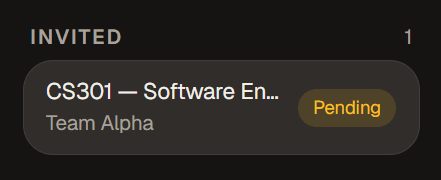
This only applies to classes with an uploaded roster. Everything else joins exactly the way it always has.
A status page that can't lie
kanbedu.com/status now shows what's going on with Kanbedu, and it stays honest on purpose: the headline we write during an incident sits right next to a live database check that runs fresh on every visit, instead of a badge someone has to remember to flip back. If the two disagree, you'll see it.
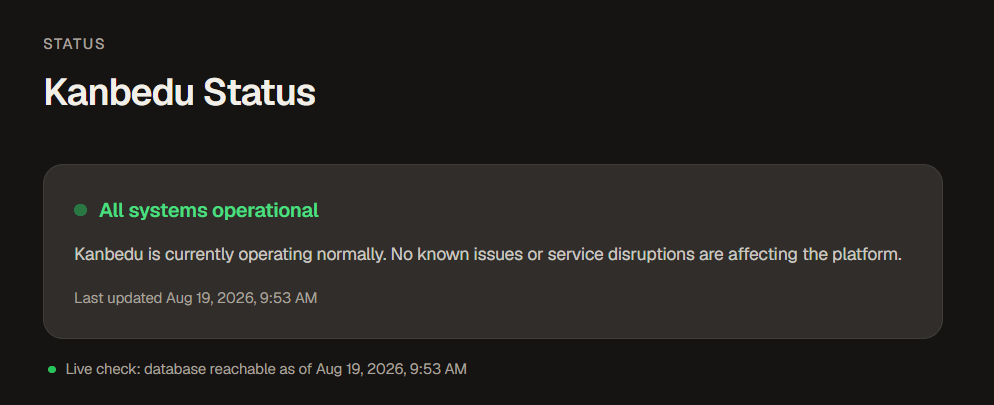
Underneath, an incident history lists what happened, how serious it was, and when it started and ended, so a past outage doesn't just quietly disappear once it's fixed. We can post and update all of it the moment something's wrong, no deploy needed. Find the page from Settings.
Smaller Things
Importing a roster CSV now reports how many students are actually in your class, not just how many of those emails have a Kanbedu account somewhere. A co-teacher can no longer rename or archive the class they were invited to help teach; that stays with the class owner. And a new Community Guidelines page explains, in plain language, how we handle usernames, display names, and account conduct.