Aug 22, 2026
Comment Editing
A comment can now be corrected instead of only deleted, high contrast and reduced motion moved from “coming soon” to real settings, and board columns are a little more honest about why they behave the way they do.
Fix a Comment Instead of Losing It
A comment can now be edited instead of only deleted. Click Edit, fix the typo or add what you forgot, and it's marked “(edited)” so nobody wonders whether the conversation was quietly rewritten. Only the comment's author can edit it, the same as before with delete.

High Contrast and Reduced Motion, for Real This Time
Both switches used to sit greyed out under “Coming Soon.” They now do something. High contrast strengthens text, borders and focus outlines throughout the app. Reduced motion turns off animations and transitions, and it also respects your device's own reduced-motion setting automatically, so you don't have to flip it a second time inside Kanbedu if your OS already asked for it.
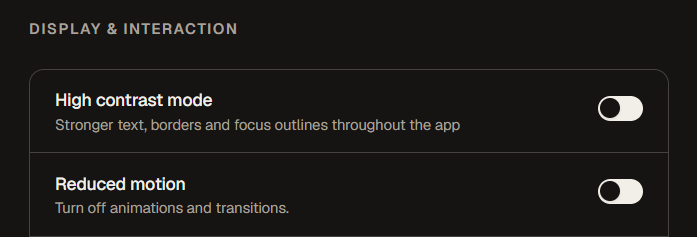
Both live under Settings → Accessibility.
Columns explain themselves when they won't move
Done always sits pinned last, and Start columns sit pinned first as their own group. Dragging a column past one of those pins used to just snap back with no explanation. It now tells you why: “Columns can't be moved past Done,” or the equivalent for Start. If a board has more than one Start column, they can now be reordered freely among themselves, so you can choose which one shows first.
Smaller Things
Delete, edit and remove buttons that only appeared on mouse hover, on attachments, comments and tags, are now reachable on a touch screen too. Deleting a column now checks who actually created it rather than only who owns the board. Settings search no longer leaves an empty heading sitting on screen for a section with no matches.